Written by Nicola Dobbie, Founder, The Site BookLast reviewed
Site management
Run the site, not just the paperwork
Most compliance tools stop at documents. We help you manage the actual site — people on site, files, procedures, incidents, permits, daily records, and subcontractor tracking. All linked to your project, all auditable.
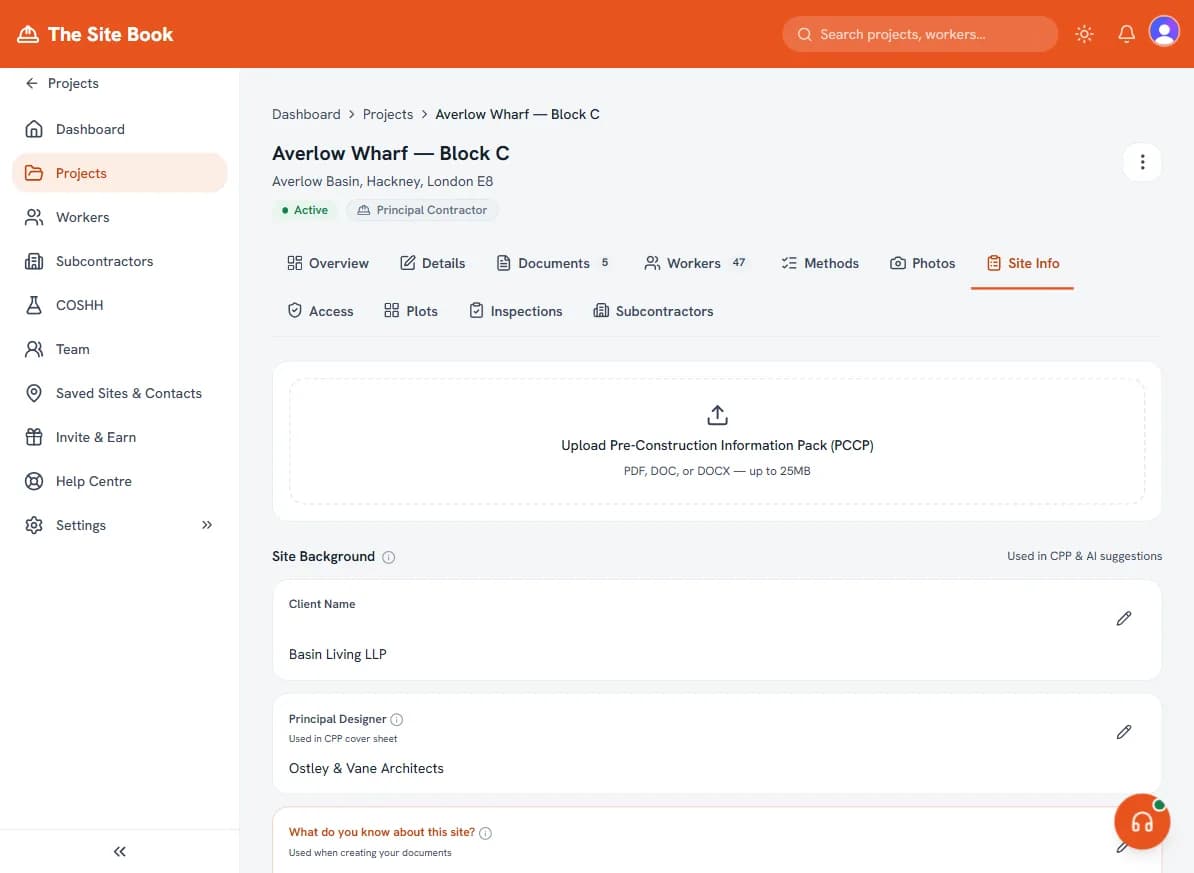
Everything you need to manage the site
The tools that turn a paper folder into a proper site record.
Site Attendance
Check workers, subcontractors, visitors and other site participants in and out of a project. Keep a live people-on-site view for H&S, then export attendance history when you need an audit trail.
Evacuation & Muster Roll-Call
Trigger an evacuation and snapshot everyone currently on site into a muster list. Mark each person safe as they reach the assembly point, then export a roll-call PDF for your records. When it matters most, you know exactly who's accounted for.
Site Portal & Files
Share drawings, plans, H&S documents, RAMS, CPPs, emergency information and site procedures with assigned portal users. This is a practical site-file portal, not formal drawing revision control.
Document Review Evidence
Mark documents as under review or approved, keep reviewer notes and preserve review history. This helps the office show who checked what without adding a heavy enterprise approval system.
Subcontractor Evidence Records
Record RAMS, certificates, insurance and other subcontractor evidence, review linked file references, and keep the record against the project instead of chasing the same paperwork through email threads.
Site Inspections & Corrective Actions
Run lightweight site checks, record findings, assign corrective actions, set due dates and preserve the action trail. It is built for practical H&S follow-up, not a full QMS rollout.
Incident & Near-Miss Log
Record incidents when they happen — timestamped, project-linked, with photos and witness details. We flag potential RIDDOR reports automatically. If the HSE asks, you've got a proper audit trail, not a scribble in a notebook.
Permits to Work
Hot works, confined space, excavation — create, issue, and track permits without paper forms. Each permit is logged against the project with who issued it, who received it, and when it expires. Everything stored and auditable.
Site Diary
Daily records of weather, visitors, deliveries, progress and problems. Correct an entry after saving; owners/admins can delete permanently, while a Site Supervisor's delete is retained for owner/admin restore. Live entries and photo counts appear in the Audit Pack.
Subcontractor Tracking
Track your subs' insurance, RAMS, public liability, and other documents. Get alerts before anything expires. Stop chasing people for paperwork — see at a glance whether every firm on your site is compliant.
Audit Pack
One merged, audit-ready PDF that brings the compliance story together — documents and version history, worker certs, right-to-work, CSCS cards, inductions, attendance, toolbox and RAMS sign-offs, evacuation roll-calls, incidents, COSHH, permits, and up to the latest 500 live Site Diary entries with photo counts.
What's included
- Site attendance check-in/check-out for workers, subcontractors, visitors and other site participants
- Live people-on-site H&S view for emergencies
- Evacuation muster roll-call — snapshot who's on site, mark each person safe, export a roll-call PDF
- Site portal for assigned people to view site details, procedures and generated documents
- Site files, drawings, plans, RAMS, CPPs, H&S documents and emergency information
- Shareable update links and email notifications for important site file changes
- Document review status, reviewer notes and review history
- Subcontractor evidence records, linked file references, review decisions and archive state
- Site inspections, checklist items, corrective actions, due dates and completion records
- Incident & near-miss logging with timestamped records
- Automatic RIDDOR flagging for reportable incidents
- Permits to work — hot works, confined space, excavation, and custom
- Site diary with daily records, weather, visitors and progress — edit mistakes, role-aware delete, and owner/admin restore
- Subcontractor document tracking with expiry alerts
- Photo upload on incidents and diary entries
- Full audit trail — every record linked to the project
- Audit Pack — one merged, audit-ready PDF of documents, sign-offs, certs, attendance, incidents, COSHH and up to the latest 500 live Site Diary entries with photo counts
- Export everything — your records, your data, always
If the HSE turns up tomorrow, could you show them your incident log, your permits, and your site records?
With The Site Book, yes. Every record is timestamped, project-linked, and exportable — or build one Audit Pack PDF from the included records, with the latest 500 live diary entries on very long projects. Open the app and show them. No rummaging through a van full of folders.
That's what ‘audit-ready’ actually means.
What's included at each tier
Starter
£0- Risk Assessments (RAMS)
- Construction Phase Plans (CPP)
- Site inductions
- Worker document signing (no per-signature charge)
Pro
£39/mo or £360/yr- Risk Assessments (RAMS)
- Construction Phase Plans (CPP)
- Site inductions
- COSHH assessments (standalone doc, SDS upload, site-specific register)
- Worker cert tracking and expiry alerts
- Right-to-work evidence records
- Subcontractor tracking
- Toolbox talks
- Worker document signing (no per-signature charge)
- Integrations (Drive, Xero, Zapier)
Business
£199/mo- Risk Assessments (RAMS)
- Construction Phase Plans (CPP)
- Site inductions
- COSHH assessments (standalone doc, SDS upload, site-specific register)
- Worker cert tracking and expiry alerts
- Right-to-work evidence records
- Subcontractor tracking
- Toolbox talks
- Worker document signing (no per-signature charge)
- Integrations (Drive, Xero, Zapier)
- Up to 10 internal team logins
- Site Supervisor: a field-only login for whoever runs the site
- Up to 50 active site portal users
- Site attendance check-in/check-out
- Multilingual worker inductions (9 languages)
- Optional 4-digit PIN for shared-link document sign-off
- Slack Site Ready readiness checks
Site Control
£675/site/mo- Risk Assessments (RAMS)
- Construction Phase Plans (CPP)
- Site inductions
- COSHH assessments (standalone doc, SDS upload, site-specific register)
- Worker cert tracking and expiry alerts
- Right-to-work evidence records
- Subcontractor tracking
- Toolbox talks
- Worker document signing (no per-signature charge)
- Integrations (Drive, Xero, Zapier)
- Up to 10 internal team logins
- Site Supervisor: a field-only login for whoever runs the site
- Up to 50 active site portal users
- Site attendance check-in/check-out
- Multilingual worker inductions (9 languages)
- Optional 4-digit PIN for shared-link document sign-off
- Slack Site Ready readiness checks
- Permanent entrance QR: guest sign-in and contractor self-join
- CSCS credential capture, review and expiry alerts
- Digital induction gating before check-in
- Live people-on-site, attendance and audit-grade exports
- Single sign-on (SSO) with Okta or Microsoft Entra
- Public REST API with scoped account keys
- Signed real-time webhooks into your own systems
Running live sites with subcontractors? Site Control is the per-site enterprise tier above Business — entrance QR sign-in, CSCS checks, induction gating, live attendance and audit-grade exports. From £675/site per month, plus £5,000 setup.
Common questions about site management
Do I need an incident log?
Under CDM 2015 and RIDDOR, you are required to record workplace accidents and certain near-misses. Even where it's not strictly required, a proper incident log protects you — if a worker makes a claim or the HSE investigates, you've got a contemporaneous record of what happened. Writing it down at the time is always better than trying to remember six months later.
What permits can I manage?
We support hot works, confined space entry, excavation, working at height, and custom permit types. Each permit records who issued it, who received it, what work is covered, and when it expires. All stored against the project and available for audit.
Can I export my site diary?
Yes. Live Site Diary entries appear in the Audit Pack and its merged PDF, including the date, weather, workers on site, work done, issues or delays, and the number of attached photos. On a project with more than 500 live entries, the pack includes the most recent 500 and states that limit. Deleted entries stay out of that compliance pack but remain labelled in a Download my data export.
Can I correct or remove a Site Diary entry?
Yes. Edit an entry and save the corrected fields or photos. Account owners and admins can delete an entry permanently. A Site Supervisor's delete hides the entry but retains it so an owner or admin can restore the original record and its photos — a supervisor can correct the site record without being able to destroy it.
Does this include site sign-in and sign-out?
Yes. Business includes site attendance check-in/check-out for workers, subcontractors, visitors and other site participants. It is designed for H&S visibility, emergency roll call and audit evidence, not payroll or timekeeping.
Can it handle an evacuation roll-call?
Yes. Trigger an evacuation and The Site Book snapshots everyone currently checked in on site into a muster list. You mark each person safe as they reach the assembly point, and export a roll-call PDF afterwards for your records. It turns the live people-on-site view into a proper, evidenced muster — no clipboard, no guesswork. (Business tier and above.)
What's in the Audit Pack?
The Audit Pack is one merged, audit-ready PDF that brings your compliance story together: documents with version history, worker certs, right-to-work records, CSCS cards, inductions, attendance, toolbox and RAMS sign-offs, evacuation roll-calls, incidents, the COSHH register, permits, and up to the latest 500 live Site Diary entries with photo counts. Instead of hunting through folders when a client or the HSE asks, you generate one export and hand it over.
Can people on site see drawings and procedures?
Yes. Assigned site portal users can see the files and generated documents linked to their project, including drawings, plans, RAMS, CPPs, H&S documents, procedures and emergency information. Version-controlled drawing registers are not part of the first release.
What Business evidence workflows are included?
Business adds document review status and history, subcontractor evidence records and review, site inspections and corrective actions. The point is to help a small firm prove who reviewed a document, what evidence was recorded, what was found on site, and what action was taken without adopting an enterprise EHS platform.
Where it helps and where it doesn't
Pros
- Incidents, permits and Site Diary in one trail: Pro can edit entries; Business retains Site Supervisor deletions for owner/admin restore
- Trigger an evacuation and run a muster roll-call — mark everyone safe, export a roll-call PDF
- Right-to-work evidence records with expiry reminders, alongside worker certs
- Business adds document reviews, subcontractor evidence records, inspections and corrective actions
- One-click Audit Pack: documents, sign-offs, certs, attendance, incidents, COSHH, permits and up to the latest 500 live Site Diary entries in one PDF
Cons
- No Procore / Autodesk Construction Cloud sync yet
- No Gantt-style programme scheduling — use alongside your tools
- CSV import for historic records is manual (mapping required)
Why The Site Book
- UK construction compliance tool that ships RAMS + CPP + COSHH + inductions (readable and acknowledgeable in 9 worker languages on Business, with the language audit-recorded) + worker sign-off, including optional 4-digit shared-link PIN evidence on Business, plus site attendance, portal users, site files, document reviews, subcontractor evidence and inspections/actions.
- Generate a site-specific RAMS first draft from a natural-language brief in under five minutes, ready for competent-person review - not a template library you hand-fill.
- Controlled document workflow without an enterprise contract: version history and a recorded issue confirmation before a document is shared with a client or downloaded in the app on every plan, re-sign on revision with superseded signatures preserved plus PCPP import, cert tracking and document checking from the £39/month Pro plan - and on Business, optional named-approver routing (a designated approver accepts or rejects each version, with recorded reasons, before it can be issued) plus client approve/reject/request-changes via share links.
- Transparent pricing: Starter £0, Pro £39/month or £360/year, Business £199/month with 10 management logins and 50 active site portal users. Worker document signing has no per-signature charge; project workers count as active portal users while assigned.
- Build RAMS for any trade - add your own work types and method statements alongside the built-in library, reusable across projects, including a ready-made Commercial Solar PV group. Save a finished job as a reusable project template, or clone it, so the next job of the same shape starts from your own setup.
- COSHH goes deep: a standalone COSHH assessment document, upload-a-Safety-Data-Sheet extraction, a site-specific substance register and an expert-reviewed library - plus per-worker RAMS sign-off and a one-click Audit Pack covering documents, sign-offs, worker evidence, attendance, incidents, COSHH, permits and up to the latest 500 live Site Diary entries.
“Very easy to use and great for our business.”
Jonni Briscoe
Trustpilot review
Your first project — done today
No card needed. No catch. Set up a project, log an incident, issue a permit, and see how it works on a real job.
Compared against the competition
How TheSiteBook stacks up
Best Construction Site Access Software UK (2026)
No single tool wins for everyone: biometric platforms secure large perimeters, payroll-led tools nail time and attendance, and only The Site Book's Site Control generates the UK CDM pack while controlling per-site contractor access.
See comparison →
Best Contractor Management Software UK (2026)
UK "contractor management software" splits into two different jobs — prequalifying contractors before hire (SafeContractor, Sypro) and running them once they are on site (Collabor8Online, Re-flow, Chime, Site Control) — and The Site Book's Site Control is the on-site option that also generates the UK CDM pack.
See comparison →
The Site Book Site Control vs HammerTech
HammerTech's breadth, permit depth and turnstile hardware suit large multi-site GCs, while Site Control is lighter, UK-CDM-first and transparently priced for builders who need RAMS/CPP/COSHH generation and fast per-site rollout.
See comparison →