How It Works
Construction Documents in Minutes, Not Hours
Describe your job in plain English. Get professional, site-specific RAMS, CPP, COSHH assessments, and site inductions structured around CDM 2015 — ready to review, download and share.
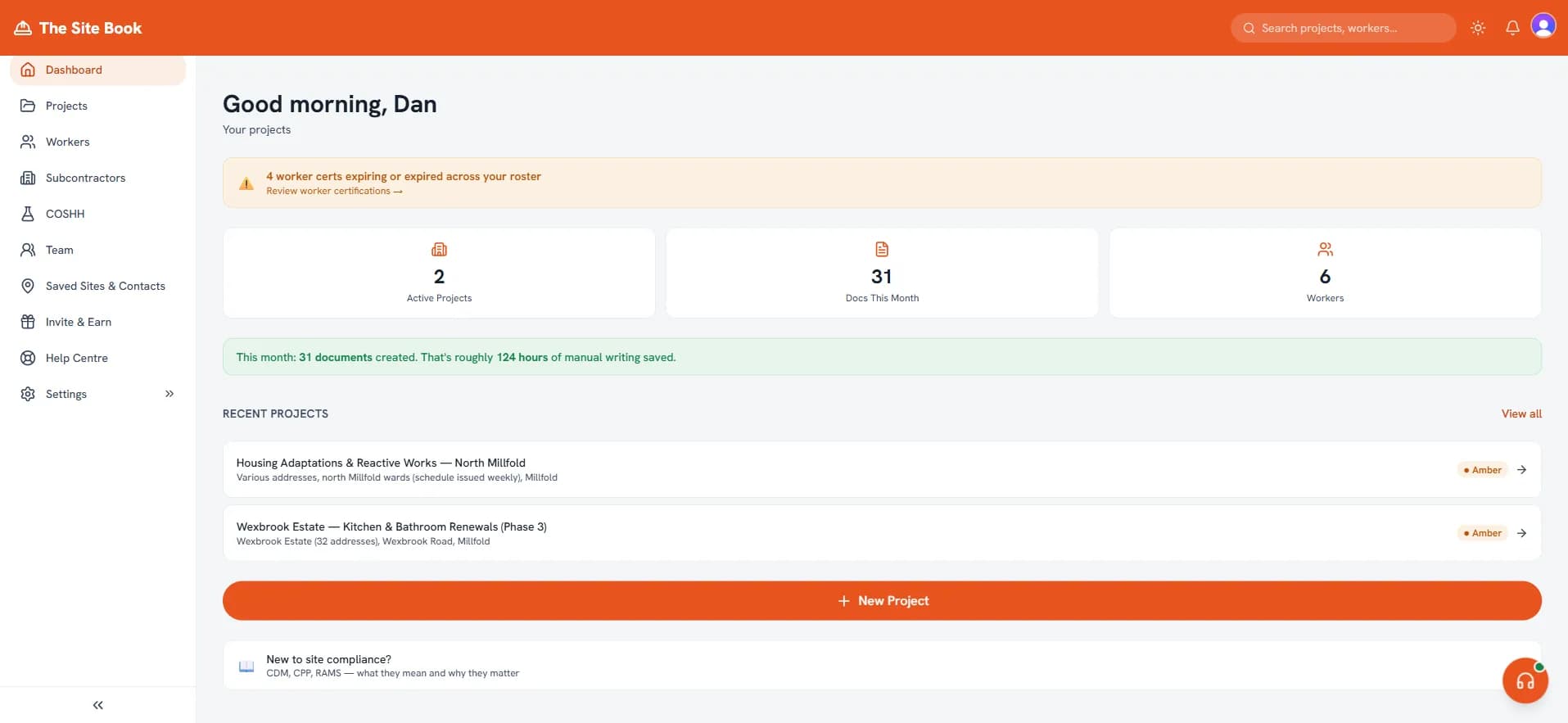
Step 1
Describe Your Job
Tell us what you're building, where, and what trades are involved. Just describe it in your own words — no forms to fill, no jargon required.
Step 2
We Create Your Documents
RAMS, CPP, site inductions, COSHH assessments — created in minutes, not hours. Every document follows CDM 2015 structure and references HSE guidance.
Step 3
Share, Sign, Comply
Send documents to clients and workers. Digital sign-offs for site inductions. Track who's read what. Download or share via secure link.
What Makes Us Different
Built specifically for UK construction contractors — not a generic compliance tool.
Documents that read like you've been on site
Not generic risk templates — your documents cover cable runs, hot works permits, and asbestos surveys. Written like someone who's actually done the work.
Hot works permit guide →CDM 2015 structure on every document
Every RAMS, CPP, and induction follows the structure expected by principal contractors and HSE inspectors. No guesswork.
What CDM 2015 covers →Digital sign-offs
Proof your workers read the induction. Digital signatures on any device — no paper forms, no chasing signatures on site.
See digital sign-offs →Worker cert tracking with expiry alerts
Track CSCS cards, first aid, IPAF, PASMA, and custom qualifications. Get alerts at 90, 30, and 7 days before expiry.
See worker tracking →PCPP import
Upload your client's Pre-Construction Phase Plan and the project details, hazards, and site rules are extracted automatically — saving you hours of data entry.
How PCPP import works →Per-worker RAMS sign-off
Require every worker to read and acknowledge the current RAMS before they start. Sign-offs are tracked per version and captured in the audit trail — proof, not just a document on file. Business and above.
See RAMS sign-off →One-click Audit Pack
Pull the whole compliance story into one merged, audit-ready PDF — documents and version history, certs, right-to-work, inductions, attendance, sign-offs, roll-calls, incidents, COSHH and permits. Everything an auditor asks for, in one export.
What's in the Audit Pack →Who Uses The Site Book?
From one-man bands to multi-site operations — if you need construction compliance documents, The Site Book is built for you.
Sole traders
You're the builder, the project manager, and the person chasing paperwork. The Site Book handles the compliance side so you can focus on the job.
Best RAMS software for sole traders →Small builders
Running a team of 2–10? Create site inductions with digital sign-offs, track worker certs, and keep every project audit-ready without hiring a safety consultant.
CDM 2015 for small builders →Subcontractors
Principal contractors want RAMS before you start. The Site Book creates professional documents structured around CDM 2015 and built to stand up to a principal contractor's review — fewer red-pen returns.
What documents subcontractors need →Principal contractors
Manage compliance across multiple projects and trades. Share Construction Phase Plans with clients, collect digital sign-offs from every worker, and keep your health & safety file in order.
Principal contractor duties under CDM →What Documents Can You Create?
Every document is created from your job description and follows CDM 2015 structure. No blank templates — just describe the work and we do the rest.
RAMS
Risk Assessment & Method Statement covering hazard identification, control measures, and step-by-step safe systems of work for your specific job.
More on RAMS →Construction Phase Plan
Required under CDM 2015 for every construction project. Covers management structure, site rules, welfare, and emergency procedures.
More on CPPs →COSHH Assessments
Documents every hazardous substance on your job — from cement dust to solvent-based paints — with exposure routes, controls, and PPE requirements.
More on COSHH →Site Inductions
Digital inductions with sign-off for every worker. Covers site rules, welfare, emergency procedures, and PPE — with proof they've read it.
More on site inductions →Method Statements
Step-by-step instructions for how each task will be carried out safely, including plant, equipment, materials, and quality checks.
Method statement guide →Toolbox Talks
Short safety briefings for your team with 90 ready-made topics. Digital sign-off tracking so you have proof every worker attended.
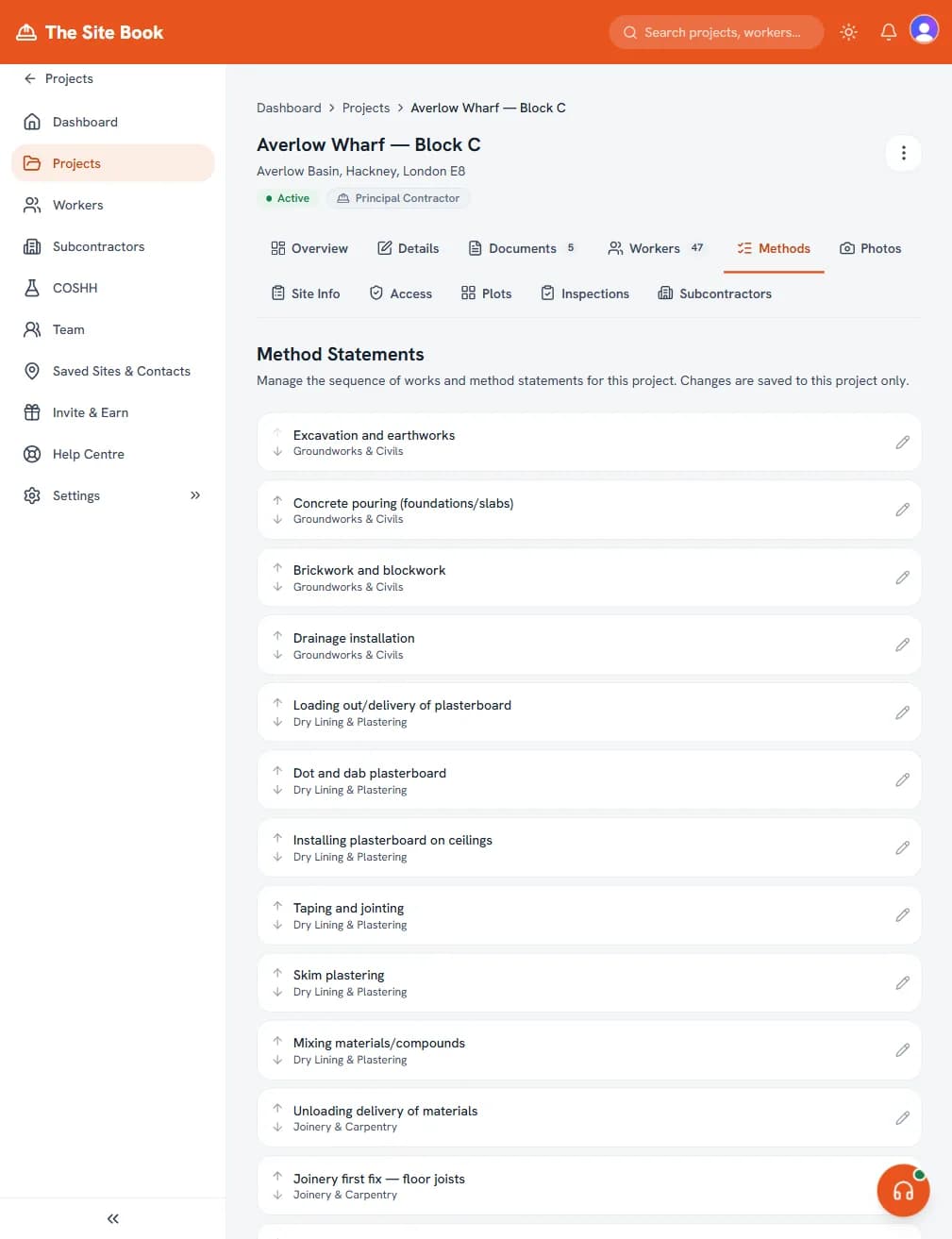
More on toolbox talks →Edit your method statements directly in the app
Frequently asked questions
How long does it take to generate a RAMS or CPP?
A first draft is usually ready in minutes. You describe the job — typed or by voice — and the generator drafts the full RAMS, method statement, or CPP, which you then review and edit before downloading a PDF.
Do I need any training to use it?
No specialist software training is required — if you can describe your job in plain English, you can create your documents. They must still be reviewed by someone competent to assess the project and its risks. We've built the workflow around the way builders actually think about a job — not around a CDM auditor's template.
Are The Site Book documents CDM 2015 compliant?
The Site Book structures RAMS, Construction Phase Plans and related records around CDM 2015 requirements and HSE guidance. The resulting documents still need to be checked by a competent person against the actual project, site, workforce, materials and method of work. Compliance depends on the arrangements being suitable, implemented and kept up to date, so The Site Book does not provide a legal guarantee of compliance.
Can workers sign from their phone?
Yes. Send a signing link by SMS or WhatsApp and the worker taps to read the induction, ticks each toolbox-talk topic, and draws a signature on their phone. You get a timestamped audit trail without collecting paper.
Where are my documents stored?
Every document is stored securely in your Site Book account for as long as you're subscribed (and kept read-only after you cancel). You can also export any job as a ZIP — PDFs, metadata, and the signing log — at any time.
How do I share documents with principal contractors or clients?
Click Share on any document to generate a read-only link. The recipient opens it in a browser — no account needed — and can download a fresh PDF with your company branding on it.
Ready to try it?
No credit card required. Describe your job and see what we create.
No card needed · Structured around CDM 2015 · First draft in minutes